AI handwriting tutor for iPad
Exam prep that starts where students actually work.
InkCast lets students write with Apple Pencil, ask for help from the page, practice for real exams, and carry their skill trail across the iPad app and web companion.
Canvas
Handwriting stays home.
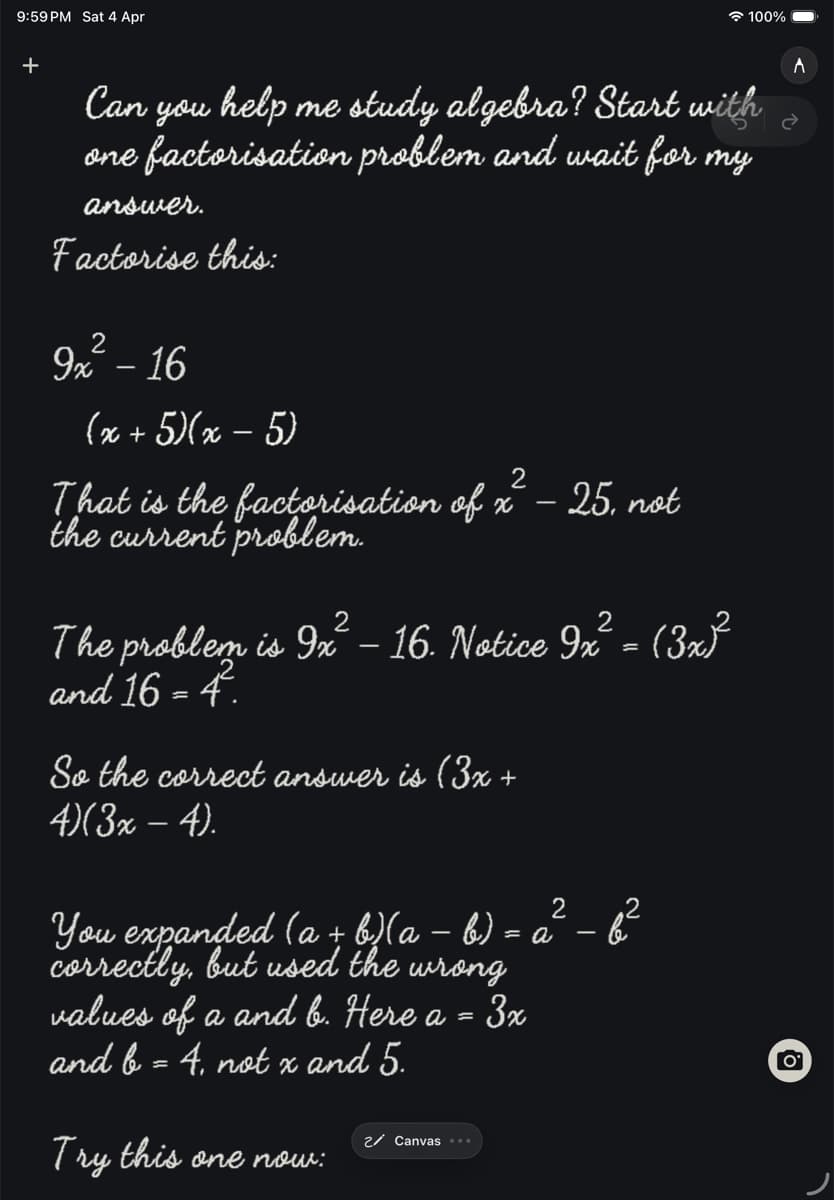
Write with Apple Pencil, double-tap send, and let the tutor respond against the work already on the page.
Exams
Practice follows the syllabus.
Set up notebooks for JEE, NEET, UPSC, and school-board prep, then keep questions, references, and review in the same place.
Progress
The work becomes a trail.
Practice Tracking and Skill Map turn solved problems into a learner profile students and parents can review later.
Handwriting-first AI tutoring
Ask from the page, not from a blank chat box.
InkCast is built around Canvas send: the student writes naturally, sends the current handwriting turn, and gets tutoring that can stay attached to the notebook context.
- Vision-first canvas turns preserve diagrams, working, and crossed-out attempts.
- The workspace stays available for typed follow-ups when a stylus is not convenient.
- Notebook history keeps the learning trail tied to the same account.
Handwriting canvas
Real exam prep
Courses, syllabi, and practice live beside the notebook.
Students can organize exam and board preparation around Courses, Syllabus, Daily Practice, and Question Paper Lab instead of scattering work across separate apps.
- JEE, NEET, UPSC, and school-board prep can keep notes, questions, and references together.
- Official syllabus links and reference articles are surfaced where course context exists.
- Paper/photo checking and generated practice keep revision close to the student's working pages.
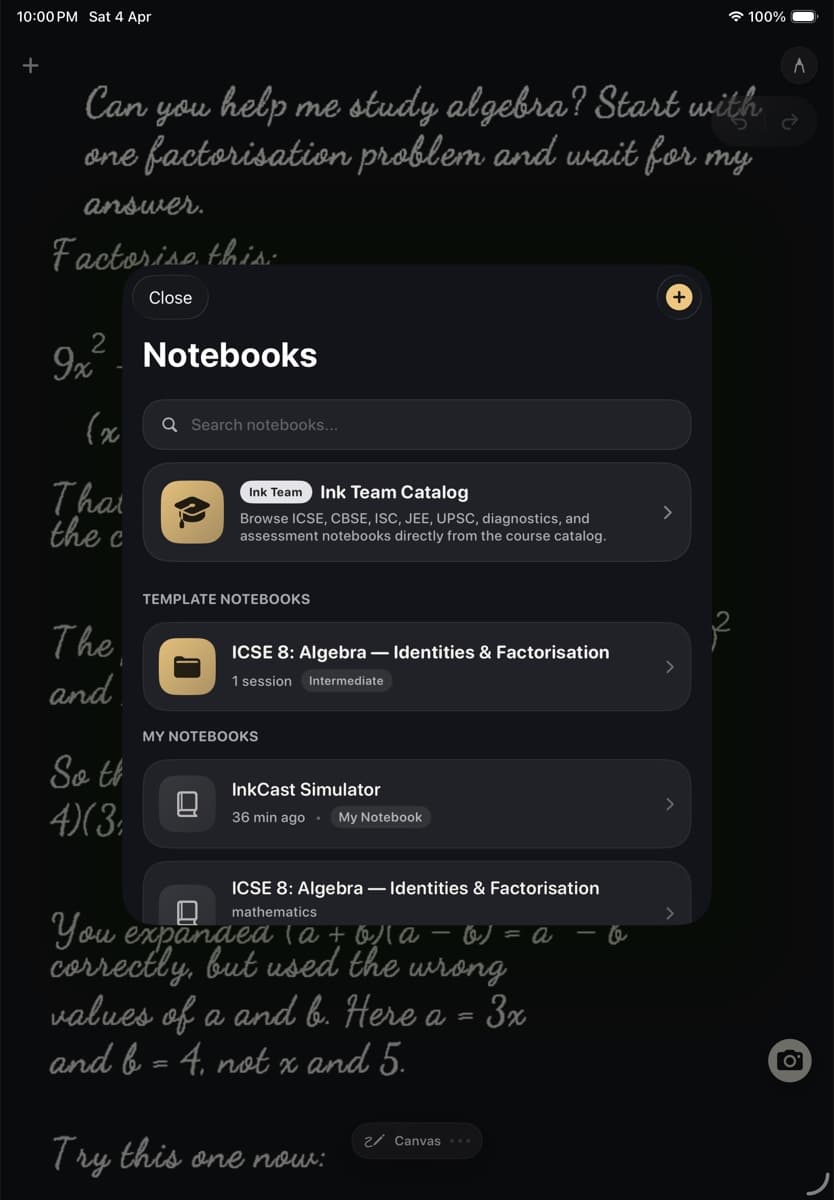
Notebook Library
Practice, voice, and reading
A tutor that can listen, speak, track skills, and read with you.
InkCast includes Canvas Voice Input, Workspace Voice Input, Workspace reply playback, Skill Map, and Gutenberg Reader support for students who switch between writing, speaking, reading, and review.
- Practice Tracking records problem attempts and feeds skill progress.
- Skill Map shows mastered, practicing, and needs-work areas across a profile.
- Gutenberg Reader opens public-domain books with reading-position-aware help.
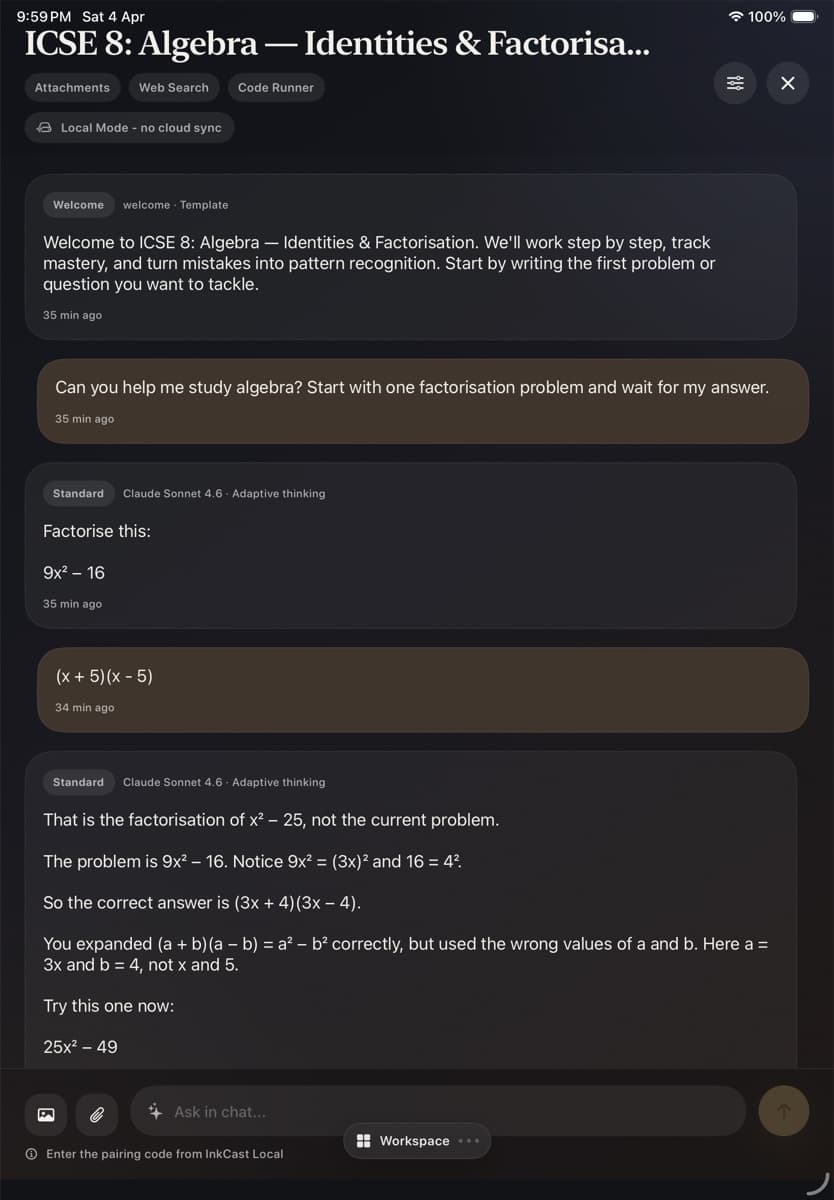
Workspace and review
Web companion
Pricing, login, and account tools stay on the web.
Launch path
Start with the account. Continue on the iPad.
Use Pricing to choose a credit plan, sign in with the email used on the iPad, and watch for the App Store link when the public listing is live.